


I want to know if I can block certain dates or holidays from being booked. I need to prevent bookings on specific days to manage availability properly.
I want to configure available time slots for bookings. I need to set specific time ranges so customers can only select from predefined slots without scheduling conflicts.

I want to understand how the table booking process works for customers in Instantio. I need clarity on the steps involved so users can easily select a table, choose time slots, and complete their booking without issues.
I want to know if Instantio works with my current WordPress theme. I’m concerned about possible layout issues or conflicts and need to ensure it runs smoothly without breaking design or functionality.
I want to create a reservation form where users can select dates, enter their details, and submit a booking request. What are the basic steps or tools needed to set this up effectively?
How does Instantio actually work in practice? I’m not just asking for a simple definition, but rather trying to understand the underlying idea behind it-what it does, how it operates, and what makes it function the way it does. Could you explain the process or mechanism in a way that makes its purpose and behavior clearer?
Instantio is likely a platform or tool, but the question is asking for a brief explanation of what it is.

We are excited to announce that the latest version of Instantio, v3.3.30, has officially been released, bringing with it a host of improvements and new features.
This update includes:
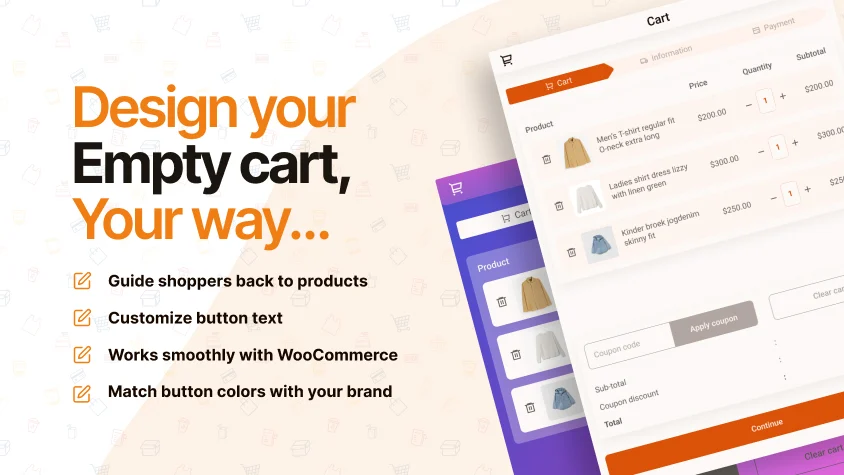
- Empty Cart Content Customization
You can now personalize the text and link for an empty shopping cart, enhancing the shopping experience. This customization guides users back to products and encourages browsing, making it more engaging and user-friendly. - Empty Cart Button Design Setting
You can now style the empty cart action button to match your website's design, enhancing the user experience with a cohesive appearance.
We have published a complete blog explaining the features. You can read it here.
Instantio introduces a modern popup based cart and checkout system that allows customers to complete their purchase in the same window. From adding a product to checkout completion, everything happens smoothly without any page reload, ensuring a fast and uninterrupted shopping experience.
Core Features
• Single step popup cart and checkout experience
• Ajax Add to Cart for simple, variable, grouped, and virtual products
• Real time cart updates for quantity changes and item removal
• Quick view and variation selection directly from shop pages
• Customizable direct checkout cart icon
• Multiple theme modes including Lite, Dark, Glassmorphism, and Gradient
• Multiple cart icon styles with custom icon support
• Cart fly animation for enhanced visual feedback
• Flexible cart drawer and toggler positioning
• Complete styling and customization control panel
• Multiple progress bar styles for multi step checkout
• Asset optimization for faster script loading
• Smooth layout animations for better interaction
• Full compatibility with Elementor, WP Bakery, Divi, and Beaver Builder
• Fully responsive with mobile touch support
• Compatible with all modern browsers
Why This Plugin Is Important
• Reduces checkout steps and user friction
• Keeps customers focused in a single interface
• Improves trust and overall user experience
• Helps reduce cart abandonment
• Encourages faster purchase decisions
Why You Should Use Instantio
Instantio is ideal for WooCommerce store owners who want a modern, fast, and conversion focused checkout solution that performs seamlessly across all devices and browsers.
#WooCommerce #PopupCheckout #WordPressPlugins #EcommerceOptimization #Instantio
Instantio delivers a complete popup cart and checkout system focused on speed, flexibility, and user experience. The entire checkout flow happens in a single window, keeping customers engaged until order completion.
Feature Set
• Single step popup checkout without page reload
• Ajax Add to Cart with instant cart updates
• Quick view for variable products
• Customizable direct checkout cart icon
• Multiple themes and cart style options
• Glass Morphism design mode
• Cart fly animation with custom icons
• Flexible cart drawer and toggler positions
• Full styling panel with progress bar customization
• Script optimization for faster performance
• Smooth layout animations
• Page builder compatibility
• Fully responsive with mobile touch support
• Compatible with all major browsers
Importance
• Creates a seamless checkout experience
• Builds customer trust
• Keeps users focused during checkout
• Improves overall conversion rates
Why Choose This Plugin
• Ideal for stores seeking a modern checkout flow
• Optimized for speed and usability
• Built to improve WooCommerce sales performance
#WooCommerce #PopupCheckout #WordPressPlugins #EcommerceSolutions #Instantio