Why Exporting Bookings as CSV in WordPress Is a Game-Changer (And How Hydra Booking Makes It Easy)
Managing bookings is one of the most important parts of running any service-based business — whether you’re handling online meetings, coaching calls, consultations, classes, or in-person appointments.
And as your business grows, so does the amount of booking data you need to organize.
This is where the ability to export bookings as a CSV file becomes incredibly valuable.
✅ Why CSV Export Matters for Booking Management
CSV (Comma-Separated Values) files are one of the simplest and most flexible formats for working with data. Almost every tool supports them — whether you prefer Excel, Google Sheets, Numbers, or any analytics software.
Here’s why exporting bookings as CSV is so useful:
✔ 1. Easy Reporting & Analytics
You can instantly move your booking data into your favorite spreadsheet tool to analyze:
- Peak booking days
- Busy hours
- Most booked meeting types
- Host performance
- Cancellations vs. confirmations
This helps you make smarter business decisions.
✔ 2. Backup & Data Security
Having a local copy of your bookings gives you full control and peace of mind.
If anything happens — plugin migration, website issues, or switching hosting — your data stays safe.
✔ 3. Team Collaboration
Need to share booking data with your team?
CSV makes it effortless.
Send the file over email, WhatsApp, Slack, or upload it to Google Drive — everyone can open it.
✔ 4. Works With Any Tool
CSV files can be opened by:
- Excel
- Google Sheets
- Airtable
- Notion
- Power BI
- Data Studio
- CRMs
- Custom reporting tools
This flexibility makes CSV the ideal export format for businesses of all sizes.
🚀 How Hydra Booking Makes CSV Export Effortless
Many WordPress booking plugins make exporting complicated — but Hydra Booking keeps it simple.
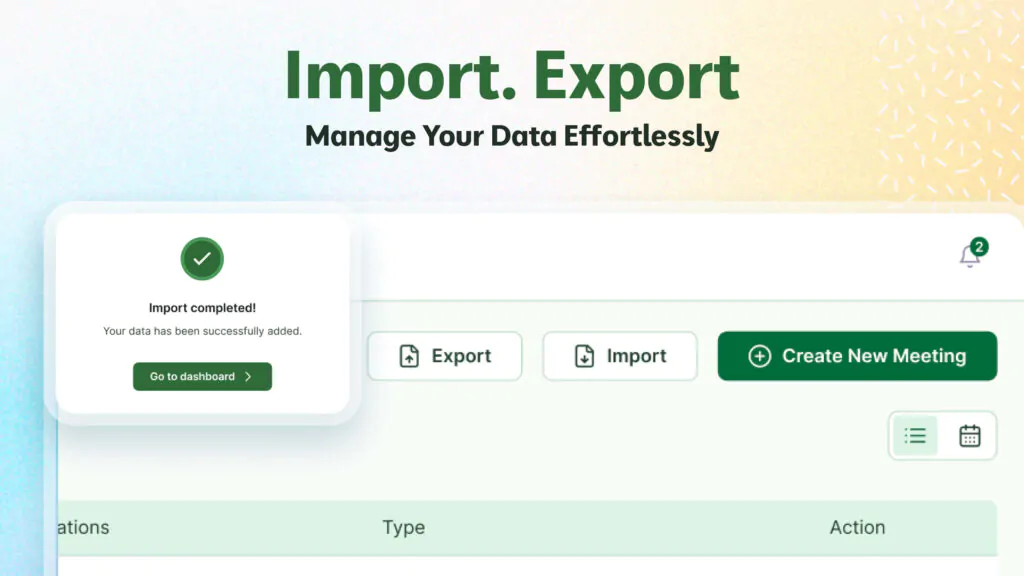
With Hydra Booking, you get a dedicated CSV Export button right in the booking dashboard. A single click instantly downloads all visible booking data, including:
- Customer Name
- Customer Email
- Meeting Title
- Host
- Date & Time
- Duration
- Time Zone
- Status (Pending, Confirmed, Rescheduled, Canceled)
You can export the entire list view or the current calendar view, depending on how you’re organizing your schedule.
This keeps your records clean and your workflow fast.
🔧 Who Should Use CSV Export?
This feature is especially helpful if you are:
⭐ A service-based business
⭐ A consultant or coach
⭐ A support or training provider
⭐ A medical or therapy professional
⭐ A team with multiple hosts
⭐ A business needing detailed booking reports
If your business relies on appointments — CSV export is almost essential.
💬 Community Question
How do you manage your booking data?
Do you prefer working inside WordPress, or do you export and analyze your data in tools like Excel or Google Sheets?
Share your workflow — your insights can help others in the community!
#WordPress #CSVExport #BookingSystem #HydraBooking #WPTutorials #DataManagement #OnlineAppointments #WebTools #SmallBusinessSupport #WordPressCommunity